
Screenshots

App details
- Updated
- Jan 15, 2019
- Language
- Spanish 8 moreLanguagesSpanishEnglishPor...
- Developer
- RecoveryRobot
- Category
- Mobile
SoftPas in:
This product is also available in the following languages:
About 7-Data Disk Partition Recovery
Download 7-Data Disk Partition Recovery – disk partition recovery, data recovery, hard disk recovery, memory card recovery, digital camera recovery, mobile phone recovery, file recovery, data recovery tool, lost partition recovery, recover deleted files
Overview
7-Data Disk Partition Recovery is a specialized utility designed to address one of the most critical challenges in digital data management: the recovery of lost or deleted data. This software targets users who have experienced accidental deletion, formatting errors, or hardware failure that has rendered storage devices inaccessible. The app is particularly effective in scenarios where data appears to be permanently lost, offering a lifeline for individuals and professionals relying on critical files from hard disks, memory cards, mobile phones, and digital cameras. Its primary purpose is to restore access to valuable data by scanning damaged or corrupted storage media and reconstructing lost partitions and files.
The target audience includes both non-technical users and IT professionals who need a reliable tool to recover data without requiring advanced technical knowledge. The developer, 7-Data, positions the software as a comprehensive solution within the utilities category, emphasizing its versatility and robust recovery algorithms. Real-world use cases include retrieving family photos from a formatted SD card, recovering business documents from a failing hard drive, or restoring media files from a damaged digital camera. In the broader app ecosystem, 7-Data Disk Partition Recovery fills a vital niche by providing a dedicated tool for data recovery, a function often overlooked in standard system utilities.
Although the developer did not provide additional technical details about the software’s architecture or underlying algorithms, its focus on multi-device recovery underscores its role as a go-to utility for users facing unexpected data loss. The software’s release in January 2019 indicates a long-standing presence in the data recovery space, suggesting consistent development and user trust over time.
Key Features & Functionality
- Comprehensive Data Recovery: The software supports recovery from a wide range of storage devices, including hard disks, memory cards, mobile phones, and digital cameras. It is capable of retrieving files that users may consider permanently lost, leveraging advanced scanning techniques to identify and extract data even from severely damaged media.
- Support for Damaged Disks: 7-Data Disk Partition Recovery is designed to work with hard disks that are heavily corrupted or filled with errors. It can access drives that are otherwise unresponsive, making it an essential tool for salvaging data from failing hardware before complete failure occurs.
- Lost Partition Recovery: This feature enables users to recover entire partitions that have been deleted, formatted, or corrupted. It restores the partition table and file system structure, allowing users to regain full access to previously inaccessible data volumes.
- User-Friendly Interface: Despite its powerful capabilities, the software features a straightforward layout with clear navigation and step-by-step instructions. This design ensures accessibility for users with varying levels of technical expertise, reducing the learning curve and minimizing the risk of user error during recovery.
- Multi-Device Compatibility: The tool is not limited to a single device type. It supports recovery from external drives, mobile storage, and digital imaging devices, making it a versatile solution for users managing data across multiple platforms and formats.
For example, a photographer could use the software to recover thousands of images from a corrupted memory card after a camera malfunction. Similarly, a business user could restore critical project files from a formatted hard drive after a system crash. These real-world applications highlight the software’s practical value in both personal and professional contexts.
Interface, UX & Performance
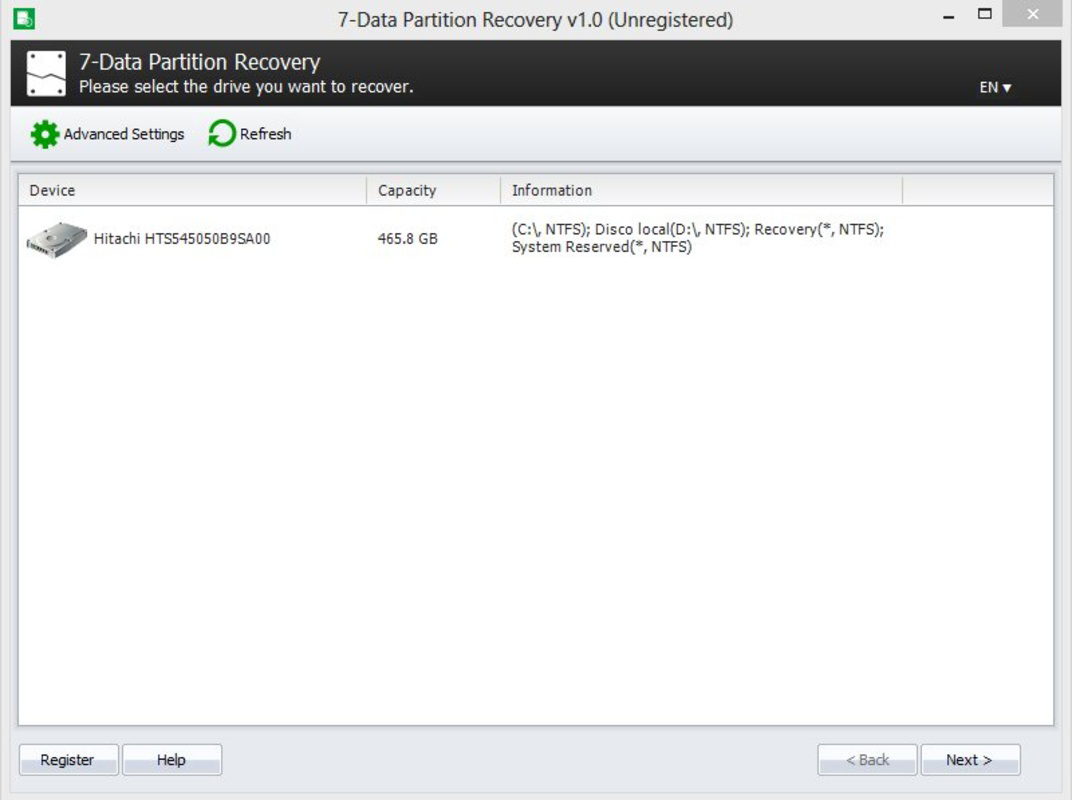
The user interface of 7-Data Disk Partition Recovery is designed with usability in mind, offering a clean layout that guides users through the recovery process step by step. Navigation is intuitive, with clearly labeled buttons and a logical progression from device selection to scan execution and file preview. The visual style is minimalistic, focusing on functionality without unnecessary distractions, which helps users maintain focus during high-stress recovery scenarios.
Performance-wise, the software operates efficiently on modern Windows systems, though the developer did not list formal performance metrics. The scan process may vary in duration depending on the size and condition of the storage device. Although the developer did not specify minimum OS requirements, the software is compatible with the Windows platform and runs on devices with standard hardware configurations. Responsiveness is maintained throughout the process, with minimal lag during scanning and file preview phases.
Stability appears to be a strength, as the software is designed to handle corrupted or unstable storage media without crashing. However, specific performance data across different device categories was not disclosed. Users should expect a reliable experience on standard Windows machines, but performance may vary based on hardware specifications not provided in the documentation.
Platform Compatibility & Technical Requirements
7-Data Disk Partition Recovery is available exclusively for the Windows operating system. The current version is 2.0, with a file size of 30.0 MB, indicating a lightweight installation that does not require significant system resources. The software is designed to run on standard Windows environments, though specific system requirements such as minimum OS version or RAM were not listed by the developer.
Compatibility information was not fully disclosed, so users should ensure their Windows system meets general requirements for running utility software. The software does not appear to be available for Android, iOS, or other mobile platforms, as it is explicitly targeted at desktop and laptop users. The absence of mobile platform support means the tool is not intended for direct use on smartphones or tablets, despite its ability to recover data from mobile storage devices.
Pros and Cons
Pros
- Effective recovery from damaged and corrupted hard disks
- Supports multiple device types including memory cards and digital cameras
- User-friendly interface suitable for non-technical users
- Capable of recovering lost partitions and deleted files
- Lightweight installation at 30.0 MB
Cons
- Platform limited to Windows only
- Specific system requirements were not disclosed
- Price point of $49.95 may be high for casual users
- No information on update frequency or support channels
- Not available for mobile devices despite mobile data recovery capability
FAQ
Is 7-Data Disk Partition Recovery safe to use?
The software is designed to operate in read-only mode during scans, which means it does not write to the source drive. This minimizes the risk of further data loss and ensures the recovery process is safe when used correctly.
Can I recover data from a physically damaged hard drive?
While the software can work with drives that are logically corrupted or unresponsive, it may not be effective on drives with physical damage such as head crashes or motor failure. For such cases, professional data recovery services are recommended.
Does the software support mobile phones?
Yes, 7-Data Disk Partition Recovery can recover data from mobile phones, but only when the phone’s storage is accessed through a computer. The software does not run directly on mobile devices.
How often is the software updated?
The developer did not provide information on update frequency. Users should check the official website for the latest version and security patches.
Is there a free version available?
There is no indication of a free version. The software is available for purchase at $49.95, and no trial or freemium model was mentioned in the provided information.
Final Thoughts
7-Data Disk Partition Recovery stands out as a powerful, targeted utility for users facing the distress of data loss. Its ability to recover lost partitions and files from a wide range of storage devices makes it a valuable tool in both personal and professional settings. The software’s intuitive interface lowers the barrier to entry, allowing users without technical expertise to perform complex recovery tasks with confidence. While the price point may be a consideration for casual users, the depth of functionality and reliability justify the investment for those who depend on data integrity.
For individuals managing critical files, photographers with irreplaceable media, or professionals handling sensitive business data, this tool offers a crucial safety net. Its compatibility with multiple device types and focus on damaged media recovery position it as a comprehensive solution in the utilities category.
Download 7-Data Disk Partition Recovery now
Guides & Tutorials
How to install 7-Data Disk Partition Recovery
- Click the Download button above.
- Once redirected, accept the terms and click Install.
- Wait for the 7-Data Disk Partition Recovery download to finish on your device.
How to use 7-Data Disk Partition Recovery
This software is primarily used for its core features described above. Open the app after installation to explore its capabilities.
User Reviews
No reviews yet. Be the first to share your experience.
You may also like
more
Que no te pillen¡
About !Que no te pillen¡Reviewed by Jason A. BilbreyShow MoreShow Less

3D Combat Zone
About 3D Combat ZoneOriginally released in 1983, 3D Combat Zone immerses players...

666: El día del portal
About 666: El día del portalOn June 6, 2006, Agent P. Stone uncovers a sinister...

80 in 1 Best Flash games
About 80 in 1 Best Flash games 80 in 1 Best Flash games is a collection of 80 fl...

ABYSS SEEKERーーWhat Do You See Deep in The Abyss
About ABYSS SEEKERーーWhat Do You See Deep in The AbyssIn ABYSS SEEKER, players...

ACA NEOGEO THE KING OF FIGHTERS 2002 for Windows
About ACA NEOGEO THE KING OF FIGHTERS 2002 for WindowsTHE KING OF FIGHTERS 2002,...